


The PGA Tour 2K25 MyCAREER mode is a fun way to enjoy 2K as an offline (well, as offline as the game allows) and solo mode as you take your golfer through week after week of events trying to win trophies and climb up the FedEx Cup Standings. Unfortunately, playing on a preassigned schedule may not always appeal to your preferred course selection pool or order.
Thankfully, there’s good news as the majority of events allow you to quickly and easily swap out the tournament host. Here’s what you need to do if you want to try a different course for your next career event.
Why Swap Courses In PGA Tour 2K25 MyCAREER
While some players may never feel the need to swap out a course during their character’s career, there are a few reasons you may choose to do so. Perhaps you want to adjust your difficulty — swapping out the default course for one that offers a bit more challenge or a bit more forgiving experience than the original plan. A simple course swap is a basic way to manage difficulty without adjusting your sliders and settings.
You may also do so as a simple matter of personal taste. If your favorite course doesn’t have a prominent place on the tour — or one you cannot stand playing does — then course swapping is the solution. Changing out one course for another can help you keep your career rounds fun, and at the end of the day, we play video games to enjoy ourselves so bring in an event that will let you do so more effectively.
How To Swap Courses In PGA Tour 2K25 MyCAREER Mode

If you’re ready to swap out a course on your upcoming schedule then these simple steps are all you need.
Navigate To The Season Schedule

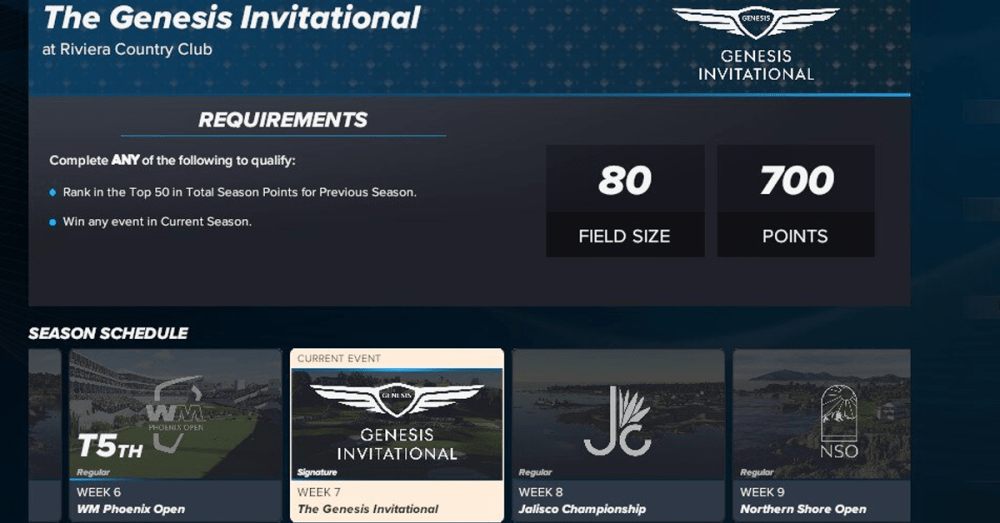
To begin, head to the home screen of your MyCAREER. Along the bottom schedule bar, you will see the options for your current event with Training, Pre-Tournament, and Tournament fields, followed by the Season Schedule. While this icon will show the next major and how far away it is, clicking on it will allow you to look at all the upcoming events on your player’s agenda.
Choose Your Tournament And Select “Swap Course”

If you see a course on your upcoming schedule that you’d rather not tee up on when the time comes, simply highlight it and select it. This will bring up a pop-up menu that allows you to immediately sim up to that week, check out details of the host course or, as you’re looking for, swap the course. Choose this option and it will bring up a list of eligible courses to swap in.
Pick Your Course And Tee Up

Simply choose your desired course from there as you would when picking up a course before a free play round. Return to your schedule and, if you are swapping in for a future event, go back to business as usual until your swapped-in weekend arrives. Once it’s the week of your edited tournament, when the time comes to tee up for your first round you’ll be playing on your newly selected course.
Restrictions On Course Swapping In PGA Tour 2K25 Career Mode
While the course-swapping mechanism in MyCAREER is simple and broadly effective, there are a few restrictions you may encounter.
Not All Events Can Be Swapped

The first snag you may hit is in swapping out the course in the first place. While many events allow for custom course selection, not all do. If your preferred event does not allow for course swapping you will instead see a pop-out notification saying “Swap Course is unavailable for this event.” In this case, the game will force you to play out the event on the pre-assigned course.
You Can Only Choose Select Courses To Swap In

The bad news for gamers looking to change courses is that you don’t have absolute free reign to swap in any fun course you’ve found in the PGA Tour 2K25 community. While there are a near limitless number of user-created courses to play, these are not eligible to swap into your MyCAREER play.
Instead, you must select one of the officially licensed courses or the official created courses available in the game. The good news is there are many of these as well so there’s still plenty of room for variety and control in your MyCAREER schedule.
Practice Rounds Don’t Update

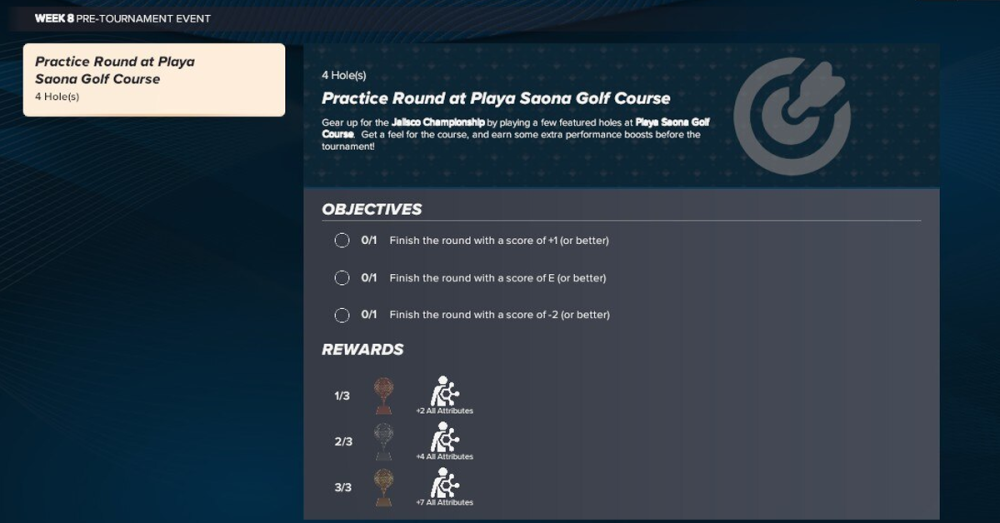
The final quirk you’ll notice when swapping in a course for an event is that this only impacts the actual official rounds. When swapping out and then playing a practice round, you will still find yourself hitting the course at the originally planned venue.
Fortunately, this is a minor inconvenience. While there is a benefit to playing a few holes on your upcoming course to get a feel for it that you lose by practicing on a different course, the tangible rewards of your practice round still activate for your player, so if you like your practice rounds you’re not missing out on much.
Swapping in courses in MyCAREER is a fun way to take a little more control over your career, and fortunately it really is that easy. If you’ve got an upcoming event at a course you don’t like, or you have a favorite you wish was included on the tour, then go get it swapped and play the way and the place you want to play.


Published: Mar 19, 2025 10:48 am