


The flashiest plays in Madden 25 might be made with a player’s hands rather than their feet, but the game is called “football” after all. While your kicker won’t make the most impactful plays throughout a game, if you don’t know how to kick properly, chances are your impact plays won’t matter when the fourth quarter is done.
Kicking in Madden 25 has subtly changed over the years, but veterans of the franchise will have a handle on the mechanics whenever a new game is released. If you’re a newer player or simply trying to refine your skills, however, then you’ll surely need some tips. Below, we’ll go into everything you need to know about kicking field goals, punts, and everything in between (which in this case means, uh, just kickoffs).
Best Kicking Style And Scheme In Madden 25


Operation Sports App
Your ultimate companion for sports gaming. Access in-depth coverage, thoughtful discussion, and a community built around the games—and sports—you love.
Your ultimate sports gaming companion.

For starters, there are two kicking styles available to all players in Madden 25. You can find these different styles in the settings menu and they drastically alter the way kicking works for all situations.
The two styles are: Classic and Multi-Meter. As you might expect, Classic style is the most traditional and easiest to understand, while Multi-Meter is more advanced but allows for additional control over your kicks. If you’re a new player or someone coming back to Madden after an extended hiatus, I recommend opting for the Classic style at first and then perhaps gradually working your way up to Multi-Meter. However, veterans and those with a better understanding of kicking could go straight into the more advanced style.
Here’s a brief description of how both Classic and Multi-Meter kicking styles work:
- Classic: Your power and accuracy meters are combined into one meter, allowing you to quickly and seamlessly kick for maximum power and accuracy.
- Multi-Meter: The new kicking style in Madden 25 that’s also seen in College Football 25. This style separates the power and accuracy meters, allowing you to first determine how accurate you want a kick to be and then determine its power on another meter.
For most fans, the Classic kicking style is going to be the best option. Some fans have highly criticized the Multi-Meter style, calling it overly complicated and an unnecessary change from the original style. However, the style is there if you want to try it out in the settings.
Another setting you’ll find that could help you make a decision on a kicking style is the two different kicking control schemes. The two control schemes are Tap-Tap and Tap-Hold.
The Tap-Tap control scheme is the most traditional, allowing you to tap once the determine the accuracy of a kick and then tap again to determine the power. Conversely, the Tap-Hold control scheme makes you tap once for accuracy and then hold until you reach your desired power.
It’s almost universally agreed upon that Tap-Tap is the preferred control scheme, as players have paired it with the Classic style and left those settings as is in Madden 25. Tap-Tap plus Classic allows you to simply tap once for accuracy and tap again for power on the same meter, making the kicking process much easier to understand and implement on kickoffs, punts, and field goals. If you prefer Tap-Hold or the Multi-Meter style, or perhaps the two together, though, then you have the option to go against the grain in Madden 25. Choose whatever style you think gives your kicker some extra juice for those nail-biter situations.
How To Do Kickoffs And Punts In Madden 25

Now that you have a set kicking style and control scheme set in Madden 25, it’s time to learn how to kickoff and punt. Depending on how good you are at Madden 25, you’ll be kicking off or punting more times than the other, but you still want to master both types of kicks.
Let’s start with kickoffs because those changed dramatically in Madden 25. The NFL decided to implement the dynamic kick during the 2024-2025 season, which has also made its way into Madden. The dynamic kickoff has several different rules:
- Players on either side of the ball can’t start moving until a kickoff is caught, hits the ground, or lands in the end zone
- A new part of the field called the “landing zone” is in play, which is the space between the 20-yard line and the end zone
- Kickoffs that go directly into the end zone directly result in the ball being placed at the 30-yard line
- Kickoffs that touch the landing zone first and then bounce into the end zone for a touchback result in the ball being placed at the 20-yard line
For the most part, you want your kickoffs to go right around the 5-10 yard line. This either forces the returner to run more after catching the ball or allows the ball to go into the end zone, resulting in the opposing offense starting at the 20-yard line. Of course, you need to know the best way to get the ball to the 5-10 yard line first.
Here’s a rundown on how kickoffs work in Madden 25:
- To do a kickoff, you’ll start by choosing the type of kickoff you want. There are three options and you can change to any of them by pressing Y/Triangle before the kickoff.
- Your options are Placement Kick, which is the standard kick, Deep Kick, which focuses on power over accuracy, and the Squib Kick, which is a line-drive kick that hits the ground and is mostly used to stop long returns
- Before you actually kick, you can use your left stick to aim where the ball is going to go. The white arrow in the center of the screen will move with your stick to determine the general direction of the ball after you lock in your kick.
- When you decide on a kick and aim the arrow, press A/X to get the kick started, which starts a moving bar along the meter. Regardless of your style, you usually want both your power and accuracy to land in the upper part of the meter. You can make your kicks land in that part of the meter by tapping A/X when the bar is in that area.
The same process is used for punts in Madden 25, but there are a few different kinds of punts that are different from kickoffs. You can use the normal punt, a Sky Kick, or a Backspin punt. The Backspin punt can help with pinning opponents deep in their own territory if you can land the ball close to the end zone, but it’s not a 100% guarantee. Generally, sticking with normal punts is the way to go. However, if you’re closer to the opponent’s end zone, a Sky Kick or Backspin punt can be used effectively to try and pin the other team or stop a return.
How To Kick Field Goals In Madden 25
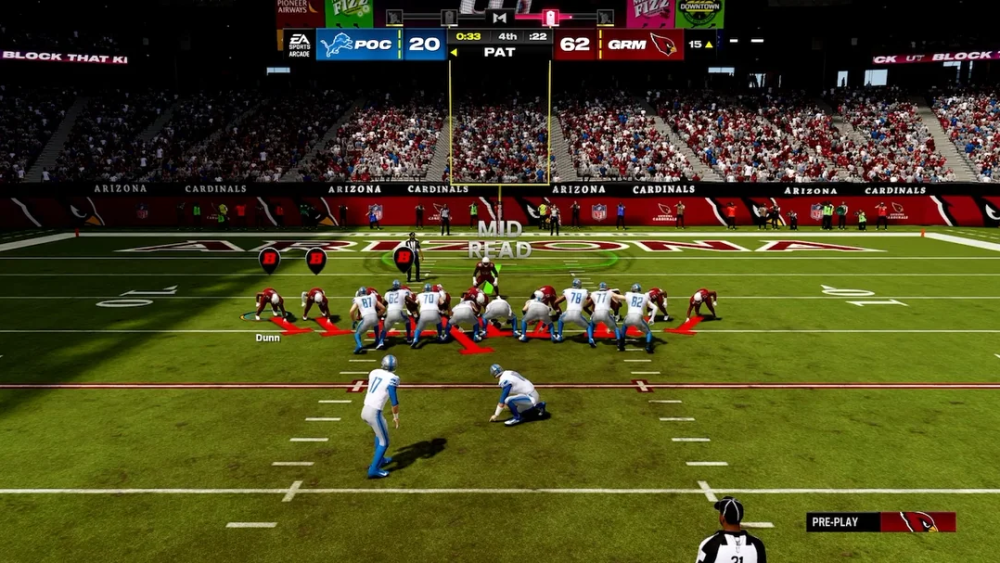
Finally, we’ve arrived at the art of kicking field goals, which is very similar to kickoffs in Madden 25. You aim your kick using the left stick, press A/X to get started, and then use the meter(s) to determine the power and accuracy of the kick.
At all times, you want to ensure you’re going for maximum accuracy and power, as anything else can and will alter where the ball goes after it leaves the holder’s fingertips. As for your aiming, you need to check the “Wind” section of the kicking box that appears when you’re about to kick a field goal. This also comes up before a kickoff, but it’s not nearly as important there. If the wind is fairly high, you want to aim your kick accordingly. For example, if you see the wind is blowing quite strongly in the left direction, aim your kick more to the right so it has a higher chance of beating the wind as it moves through the air. If you keep your aim in the center, the ball will be blown more to the left and could miss the uprights.
And that does it for the rundown on kicking in Madden 25. It doesn’t take too long to master, but it’s a skill you want to ensure you practice so you’re not too nervous if your team is down by two and in field goal range at the end of a game.


Published: Feb 25, 2025 10:41 am